
3 months
$20
USD total for the term- Live TV, films and series
- Help with your TV setup
- Free playlist customization
Bring live channels, movies and complete evenings of television to your Samsung screen. A viewing subscription starts at $20 total for 3 months.
We’ll check your model and player with you before payment.

A live channel joins the programme already on air. A film or series starts when you choose it. Pick the kind of evening you have in mind and check a particular programme with us.

57,000+ live channels across the catalogue. For an event, give us the competition, date and preferred commentary language so we can check the right feed.
Check a channel or match
200,000 movies across the library. Ask about a particular title, release year and language before choosing a term. A remake can have the same name.
Check a movie
50,000 series across the catalogue. If you are halfway through a show, tell us the season and episode, and whether you prefer subtitles or dubbed audio.
Check a seriesThese are catalogue-wide figures. Images illustrate viewing categories. Channel, language, episode and picture-quality availability can vary. How to check a listing
Every term includes the same service. You choose how long the access lasts. Each button opens WhatsApp with your chosen duration and the full price already in the message.
$20
USD total for the term
$35
USD total for the term
$50
USD total for the termAll plans include primary and backup DNS details. Your internet, television and any fee charged separately by your chosen player are additional. Check the start date, available programmes and number of simultaneous screens with support before payment.
The television is the hardware. The player is an app you open on that TV. Your subscription supplies the viewing access. A large screen or a particular picture technology alone cannot tell you which app it supports.
Look under Settings and Support for About This TV, or use the model code on the TV label or purchase paperwork. Menu names vary. Your model code and viewing country help support check your options. Keep your serial number private.
Use Apps or Search on the television. Open the requested player’s store listing and check its publisher, fee and sign-in method. Ask us to check the match before buying a licence.
Keep the TV remote beside you and connect the television to your home internet. You can complete the first two checks before ordering.
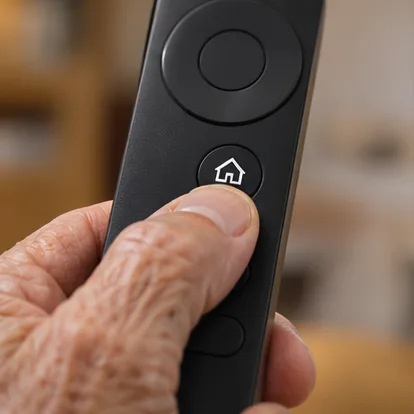
Press Home on the Samsung remote. Look for the home menu on the TV. If you only see an external device menu, use the television’s own remote and try Home again. You should see your television’s apps or search option.
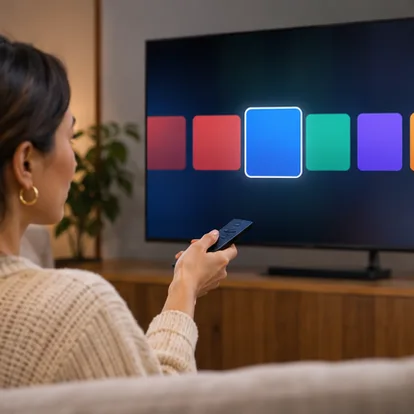
Search for the player confirmed for your model and country. Select Install if offered, then Open. Check the name and welcome screen before entering anything. A player can charge its own licence fee.
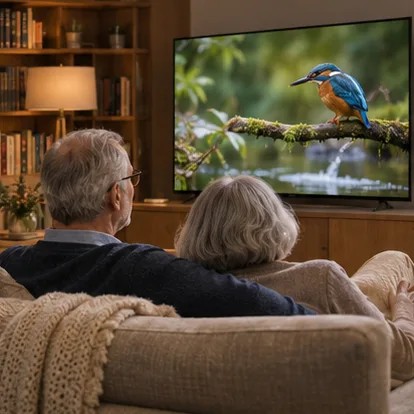
After the order is confirmed, enter the supplied access in the agreed player. Open one live channel, listen for speech, then try a film. Add a favourite and reopen the player so you know the way back tomorrow.
If a step looks different, stop there. Tell support which menu you can see and what you last pressed. Read the Samsung setup guide
Review the plan and total in WhatsApp. Press Send when you are ready. Before paying, agree on your TV route, the title or channels that matter to you, the start date and how the access will be delivered. Keep the written confirmation for renewal.
HD, Full HD and 4K depend on the programme source, connection and the TV. Check your first programme in the language you want to hear. For subtitles, open the player controls while the programme is playing and look for available tracks.
Free playlist customization can bring your preferred channels and languages closer together. Give support a short list of exact names. When several stations have a similar name, include their region or city so the right edition is easier to find.
Your service includes private primary and backup DNS details. Ask support which address belongs in the player for your access. Keep your existing settings until the correct change is confirmed. A problem with one programme may have a different cause.
Samsung TV Plus is Samsung’s own service. Panel Index is a separate subscription that uses a compatible player. Open the app store on your television so support can check the viewing route for your model.
Tell support the exact app name, the publisher shown in its store listing, and the options shown on its welcome screen. A playlist URL and an account login use different entry screens. For example, Samsung’s US store lists OttPlayer and Smart IPTV OTT Player. Check the exact listing on your model before choosing. Keep the current setup until you know which login applies.
Try a second programme. If both are silent, check the TV volume, mute setting and selected sound output. If just one is silent, open the player’s audio choices for that programme. Tell support what changed between the two tests.
Return to your existing order conversation. Ask for your current expiry, renewal price and new end date. Leave your working player and favourites in place while support checks the account.
Support is available seven days a week, fourteen hours per day. Ask for the working hours in your time zone if you want to arrange setup help. You choose when to send the WhatsApp message.